How to get your business recommended by ChatGPT
What ChatGPT looks at when someone asks it for a local business, and the practical changes that give yours a better chance of being named.
· 6 min read
By the Blessed Pixels team
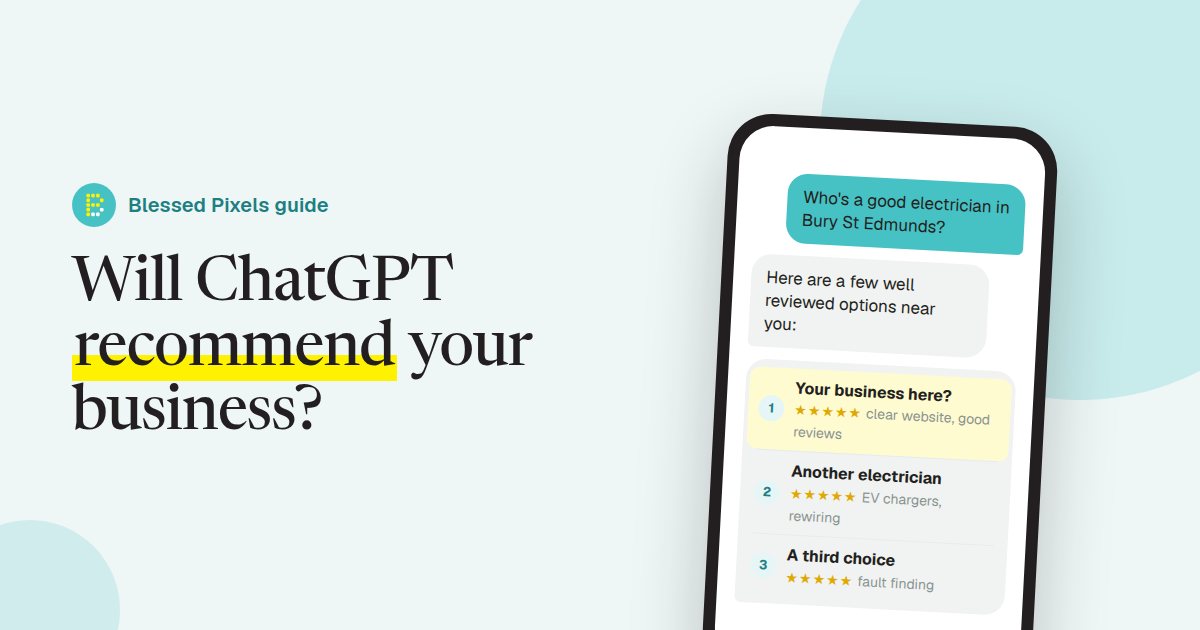
There's no form for this. No account to open with OpenAI, no listing to pay for, no box marked "recommend me". If you want ChatGPT to name your business when someone asks for an electrician in Bury St Edmunds, the only route is to make it easy for ChatGPT to find you, work out what you do and believe you're real.
Before you change anything, see where you stand. Open ChatGPT and ask what a customer would ask, in their words: "Who's a good electrician in Bury St Edmunds?" or "Best dog groomer near Ipswich?" Swap in your own trade and town. You might be there. You might be missing, or listed with a phone number you gave up years ago. Write down what it says, because you'll want to compare in a month. And if you'd like a quick read on the website side, our free AI website check runs through 17 of the basics in under a minute.
Nobody can sell you a place in the answer
Let's clear this up first, because somebody will try to sell it to you. Nobody can promise you a spot in ChatGPT's answers. Not us, not an agency, not the confident chap who messaged you on LinkedIn. The answers aren't for sale, and OpenAI doesn't publish a checklist that guarantees a mention.
What you can do is shift the odds. ChatGPT has to find you before it can mention you, and it has to be fairly sure what you do and where you do it. Most of this guide is about those two jobs, with a bit at the end about trust. It's roughly the order we work through in a full AI audit, too.
How ChatGPT finds businesses
When ChatGPT searches the web to answer a question, it sends its own crawler, called OAI-SearchBot, to read pages. OpenAI's page about its crawlers says that sites which block OAI-SearchBot won't be shown in ChatGPT search answers.
So the first job is a dull one: make sure you haven't shut the door. Plenty of sites do it by accident, usually through a security plugin or a setting somebody ticked years ago and forgot. Type your web address followed by /robots.txt into your browser and you'll see the rules. What you're looking for is OAI-SearchBot or GPTBot sitting next to Disallow: /. If the file means nothing to you (it's not exactly friendly reading), the free check reads it for you and flags the main AI crawlers.
While you're in a housekeeping mood, add your site to Bing Webmaster Tools. Microsoft Copilot is built on Bing, and it takes about ten minutes.
Say what you do and where, in plain words
Most business websites are written for people who already know the business. That's where they fall down.
"Quality workmanship since 1998" tells ChatGPT almost nothing. Now try "Electrician in Bury St Edmunds. Rewiring, fuse boxes, EV chargers and fault finding across west Suffolk." Same firm, same van. Only one of those sentences can be handed back to someone asking for an electrician near Bury.
Worth checking on your own site:
- Your trade and your town near the top of the home page, written as a sentence rather than a slogan.
- A separate page for each main service. If you want to be found for EV charger installation, it deserves its own page, not a bullet point halfway down "Services".
- The areas you cover, typed out. "Bury St Edmunds, Thetford, Newmarket and the villages in between" is far more use than a map image, which AI tools can't read.
- Your phone number and address as text, not only inside a graphic or behind a contact form.
None of that needs a new website. But if yours is so old that changing a heading means chasing a designer who stopped replying in 2021, starting again on one of our monthly website plans can work out cheaper than patching.
Add the labels AI tools look for
Structured data is a short block of code that labels your details so machines don't have to guess: this is the business name, this is the phone number, these are the opening hours. The usual format is schema.org LocalBusiness, which has types for most trades (Plumber, Electrician, HairSalon, Dentist and so on).
You won't need to write it by hand. Most website builders and WordPress SEO plugins have a section for it. Fill in every field you can, then check it agrees with the page. If the code says you shut at five and the page says six, you've given AI tools a reason to doubt both. Where a builder makes this awkward, it's exactly the sort of fiddly fix described on our what we fix page.
Be the same business everywhere
AI tools don't stop at your website. They read Google, review sites, directories, Facebook and anywhere else you turn up, then try to decide whether all those mentions are one company.
You can make that very hard without meaning to. The website says "Smith & Sons Electrical", Google says "Smith Electrical Ltd", and Facebook still has the old mobile number. A person shrugs and works it out. Software is less forgiving.
Pick one version of your name, address and phone number and use it everywhere. Start with your Google Business Profile, because it feeds Google Maps and a lot of what Google's AI shows. Then Facebook, Yell, Checkatrade or whichever directories matter in your trade. It's an evening's work with a mug of tea and a list of half-remembered passwords. Finish by linking to those profiles from your website; the AI check will tell you whether it can see the links.
Reviews, and answering what people ask
When someone asks for "a good" plumber or "the best" café, an AI tool has to decide what "good" means, and what other people have written is the obvious evidence. So reviews matter, and so does replying to them. Fake reviews are illegal in the UK, so there's no shortcut. What works is asking, and asking promptly: send the link the same day, while the customer is still pleased. Leave it a fortnight and the moment's gone.
The other half is answering the questions customers ring up with. "Do you do emergency call-outs?" "How much is a new consumer unit?" "Do you come out as far as Haverhill?" Put straight answers on your site and ChatGPT has something to quote. We've written a separate guide to building an FAQ page from the questions you already get, and our own FAQ page shows the format working.
Frequently asked questions
Can I pay to appear in ChatGPT's answers?
Not in the answers themselves. OpenAI has started showing ads in ChatGPT in some countries, but it says ads are kept separate and don't change what ChatGPT says. Anyone offering to "get you into ChatGPT" is really selling the groundwork in this guide.
How long does it take to show up?
Nobody knows exactly. Changes have to be crawled before they count, which can take days or weeks. Check every few weeks rather than every morning.
Do I need a new website?
Usually not. Most of what's in this guide can be done on the website you already have.
Does ChatGPT use Google reviews?
OpenAI doesn't publish a list of the sources it reads. What we can say is that AI tools look across the web for signs that a business is real and well thought of, and reviews on Google and trade sites are some of the most visible signs there are.
What to do this week
- Ask ChatGPT about your trade and town, and write down what it says.
- Check your
robots.txtfor blocked AI crawlers, or let the free AI check do it. - Rewrite the first line of your home page so it says what you do and where.
- Make your name, address and phone number match on your website and Google Business Profile.
That's an afternoon, give or take. If you'd rather have someone go through the lot with you, that's what our AI website audit is for. Either way, put a reminder in your diary for a month's time and ask ChatGPT the same question again.